
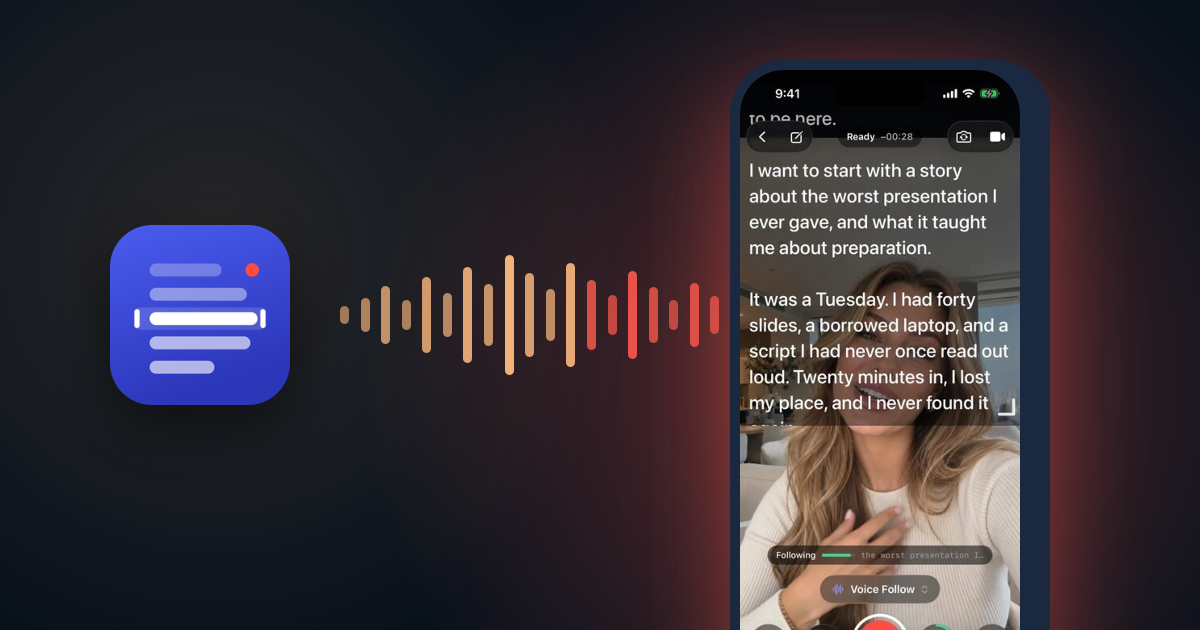
Every teleprompter app has a speed slider. You set it, you start reading, and within a minute you are either chasing the text or waiting for it. Real speech does not have a speed. You slow down on the important line, you pause to breathe, you skip a word and go back for it.
So I built Teleprompter: Voice Follow, which has no speed to set. It listens, works out where you are in the script, and keeps the next line in front of you. The idea fits in one sentence. Getting it to feel right took most of the work on the app.
Recognition has to be on the device, and it has to last
My first constraint was privacy. People read things into a teleprompter before they are public: a pitch, a speech, an announcement. I did not want any of it leaving the phone.
My second was length. A talk runs for ten or twenty minutes. Apple's older speech API, SFSpeechRecognizer, caps a recognition task at roughly a minute on its server path. That is fine for dictating a message and useless for a speech.
Apple's newer SpeechAnalyzer with SpeechTranscriber solves both. It runs on the device, it is built for long-form audio, and it keeps going for as long as you talk. The language model is a one-time download on first use, and after that the app works in airplane mode. Teleprompter makes no network calls of its own and has no analytics, so the script, your voice and your recordings stay on the phone.
One bug from this part is worth telling because it hit me personally. Transcription is offered for a list of specific locales, and the obvious code asks for Locale.current. On a phone set to English in the UAE, that is en_AE, which is not on the list. Voice follow refused to start and said the language was not supported, on a phone set to English. The app now tries the exact locale, then the same language with the same region, then the same language anywhere, then your preferred languages, and only then gives up.
Finding a word is not finding your place
The naive approach is: take the newest recognized word, find it in the script, scroll there. It fails at once, because scripts repeat themselves. "The", "we", "and", "this" appear on every line. Even a rare word can appear twice.
Instead, the app treats the last few words you said as a phrase and looks for where that phrase fits best. It only searches near where it believes you are: 12 words back and 45 forward. Recent words count most. The newest word has a weight of 1.0, then 0.8, 0.55, 0.35 and 0.25 going back. Positions ahead of you get a small bonus, because people read forwards far more often than backwards.
Matching is forgiving, because recognition is not perfect and neither is reading. Words are compared without case, accents or punctuation. A close spelling still counts for something: a word one letter off scores 0.7, and a long word two letters off scores 0.45. Very short words get no partial credit at all, because "an" being one letter from "in" tells you nothing. A position has to reach a score of 0.55 before the script moves.
When you go off script
Speakers ad-lib. They tell a story that is not in the text, then jump back in three paragraphs later. A search limited to 45 words ahead cannot find them.
So there is a second search. If 3.5 seconds pass with nothing matching locally, the app looks across the whole script, with stricter rules. It needs at least seven words of anchor, a score of 0.82, and a clear lead of 0.12 over the second-best position. The margin matters most. If two places in the script match almost equally well, jumping to either is a guess, and a teleprompter that jumps to the wrong paragraph is worse than one that waits.
When you stop talking, the script stops too. After two seconds without speech, it holds still. It does not drift on as if you were still reading.
The recognizer is always a little late
Speech recognition reports a word after you have said it. The delay changes with the device and with how fast you speak, and it is enough to make the script feel like it is following a step behind.
The app measures both. It tracks your pace over the last dozen words, and it knows how much audio it has fed the recognizer compared with where the newest recognized word ends. From those two numbers it estimates how many words you have said that it has not heard yet, up to eight, and aims ahead by that much.
Moving the text so you can read it
My first version moved the script one line at a time, only when you finished a line. The reasoning was sound: text that slides while you read it is hard to follow. In practice, on an iPad or a Mac, where a line holds a dozen words, you would finish a sentence and nothing would move for several seconds. It looked broken.
Now the default is continuous. The script glides through each line as you read it and arrives at the next line when you do. To do that, the app lays out the text at the exact width and size on screen, records which line every word lands on, and moves between the real line positions. The old one-line-at-a-time mode is still there as a setting for people who prefer it.
Sharing one microphone
The app also records video of you reading, with the script over the camera preview. That means the camera, the video file and the speech recognizer all want the same microphone.
The early version let each part set up the audio on its own. The camera configured it, then voice follow configured it again, and the second change interrupted the first. The visible result was a camera preview that froze sideways for half a second every time you opened the prompter. Now one place owns the audio session and only changes what is not already set. Recording writes the file itself from the camera's audio and video buffers, and passes the same audio buffers to the recognizer, so there is a single owner of the microphone.
An iPhone 17 surprise
The next update fixes a bug I could not have tested for before the phone existed. The app guessed the shape of the camera preview from how the image was rotated, on the assumption that every camera is a wide sensor turned on its side. The iPhone 17's front camera has a square sensor, so the guess was wrong and the preview became a thin strip. The update reads the shape from the frames the camera actually delivers.
That is the lesson I keep relearning in this app. The rule that worked on every device so far is still an assumption, and the fix is almost always to measure the real thing instead of predicting it.
Try it
Teleprompter: Voice Follow is free on the App Store for iPhone, iPad and Mac. If it loses your place, I want to know: tell me what you were reading and where it went wrong.